Quotes, projects and time for consultancies and agencies
Quote a fixed fee or hourly rate, record your client's acceptance and start a delivery project. When a manager signs off the work, finance can download a draft billing CSV.
From quote to billing draft
The decision history records who issued the quote, recorded the client's acceptance and signed off delivery, along with their reasons and the quote revision.
Quote
Draft a quote for a customer: a title, the scope, a currency and a price. Hourly quotes carry a rate and the time quoted. Fixed-fee quotes carry one price.
Issue
A person with Manage access issues the draft. That records the decision and freezes the wording. Nothing is sent to the customer.
Acceptance
When the customer agrees, the team records it. That creates a delivery project in the team you pick, with the lead you name and the quote's delivery date as its target.
Evidence
Hourly work is evidenced by time logged on the delivery project's tasks. Fixed-fee work is evidenced by the milestone you record at sign-off.
Sign-off
A manager records delivery. For hourly quotes the approved time can't exceed the quoted time or the finished time logged. The billing amount is then frozen.
Billing draft
Download a CSV with the customer, service, basis, approved time, rate and total before tax. Finance reviews it and raises the invoice in the accounting package.
Two quotes, worked through
The same path covers both ways of charging. These are examples of how the numbers move, not defaults.
Hourly: brand audit
Quoted at £95 an hour for up to 40 hours, so £3,800 before tax. The team logs time on the project's tasks, and 34 hours 30 minutes is finished by delivery. The manager approves 34 hours and the billing draft totals £3,230. Approving more than was logged, or more than the quoted 40 hours, is refused.
Fixed fee: discovery workshops
Quoted at £6,500. No hours are approved. Sign-off records the milestone reached and where the evidence is kept, and the billing draft shows Fixed fee as its basis with £6,500 before tax.
Delivery is ordinary project and time work
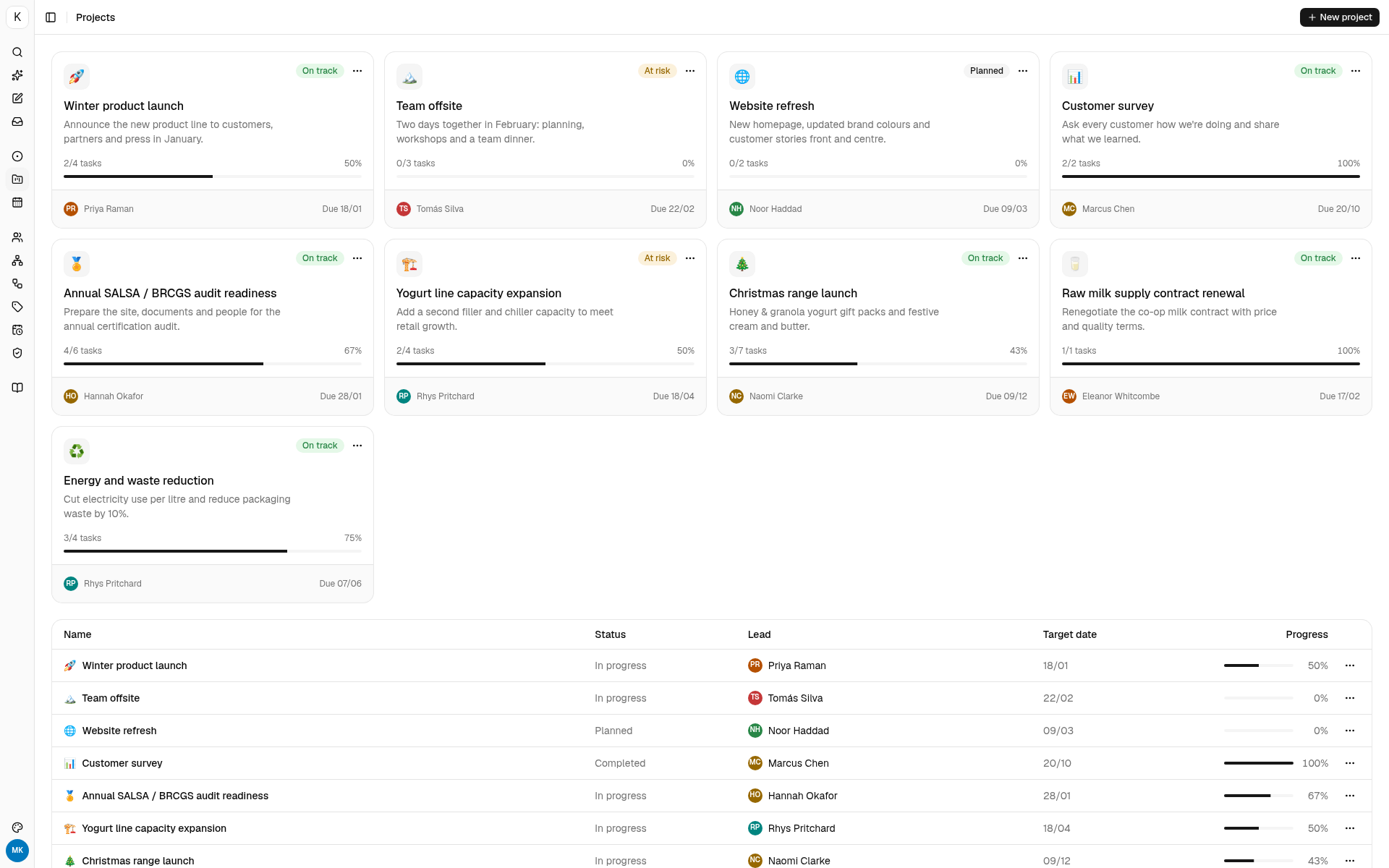
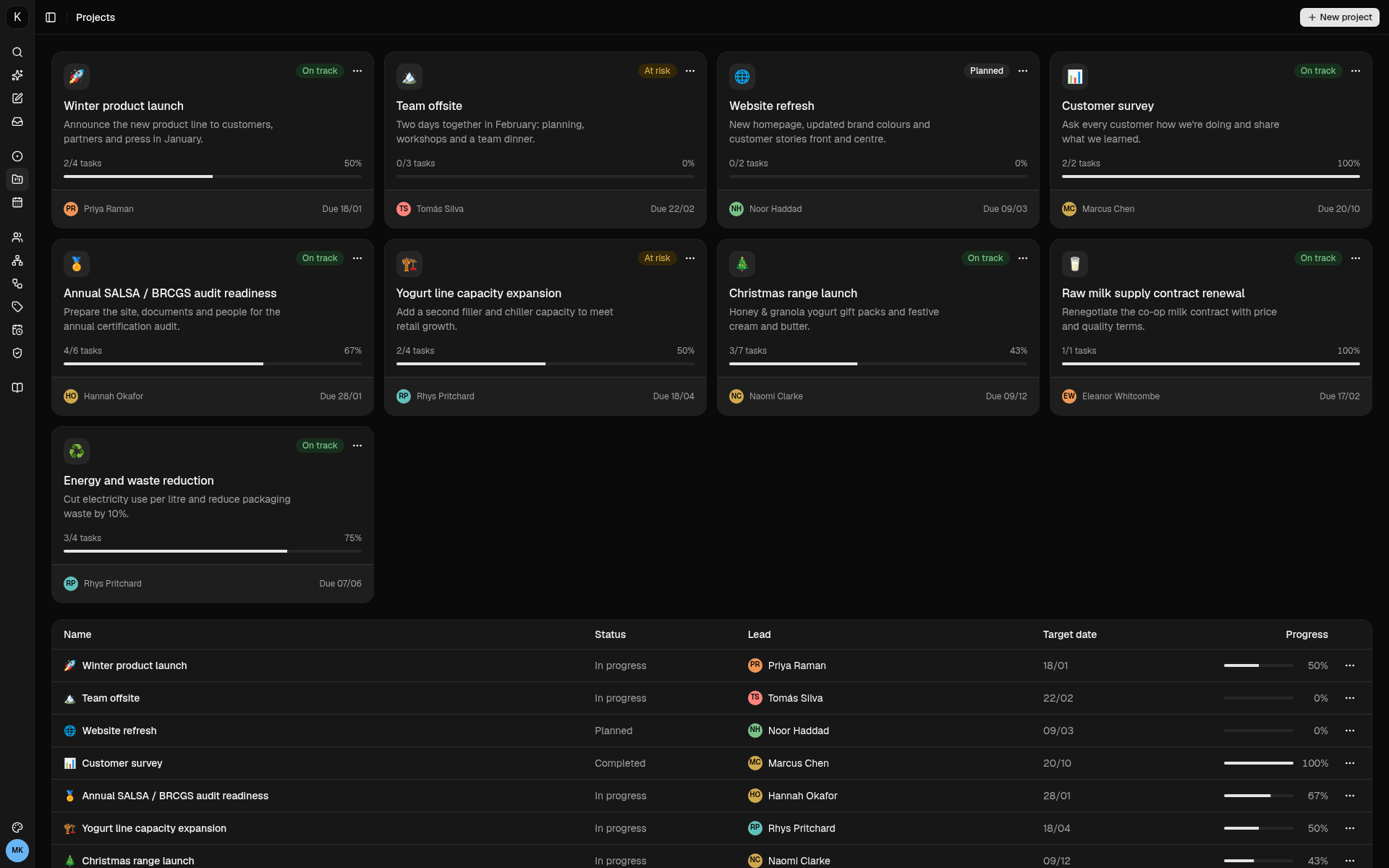
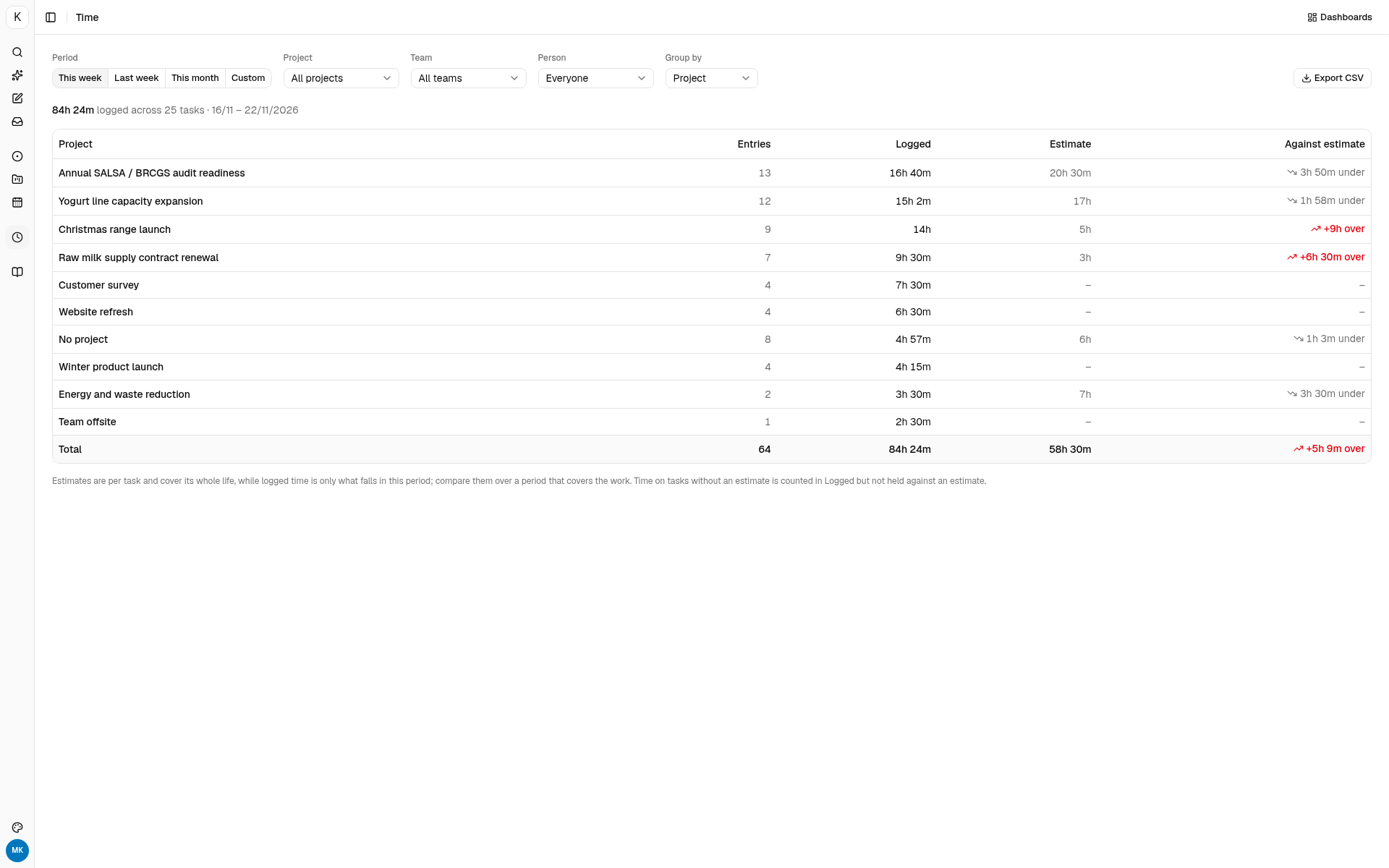
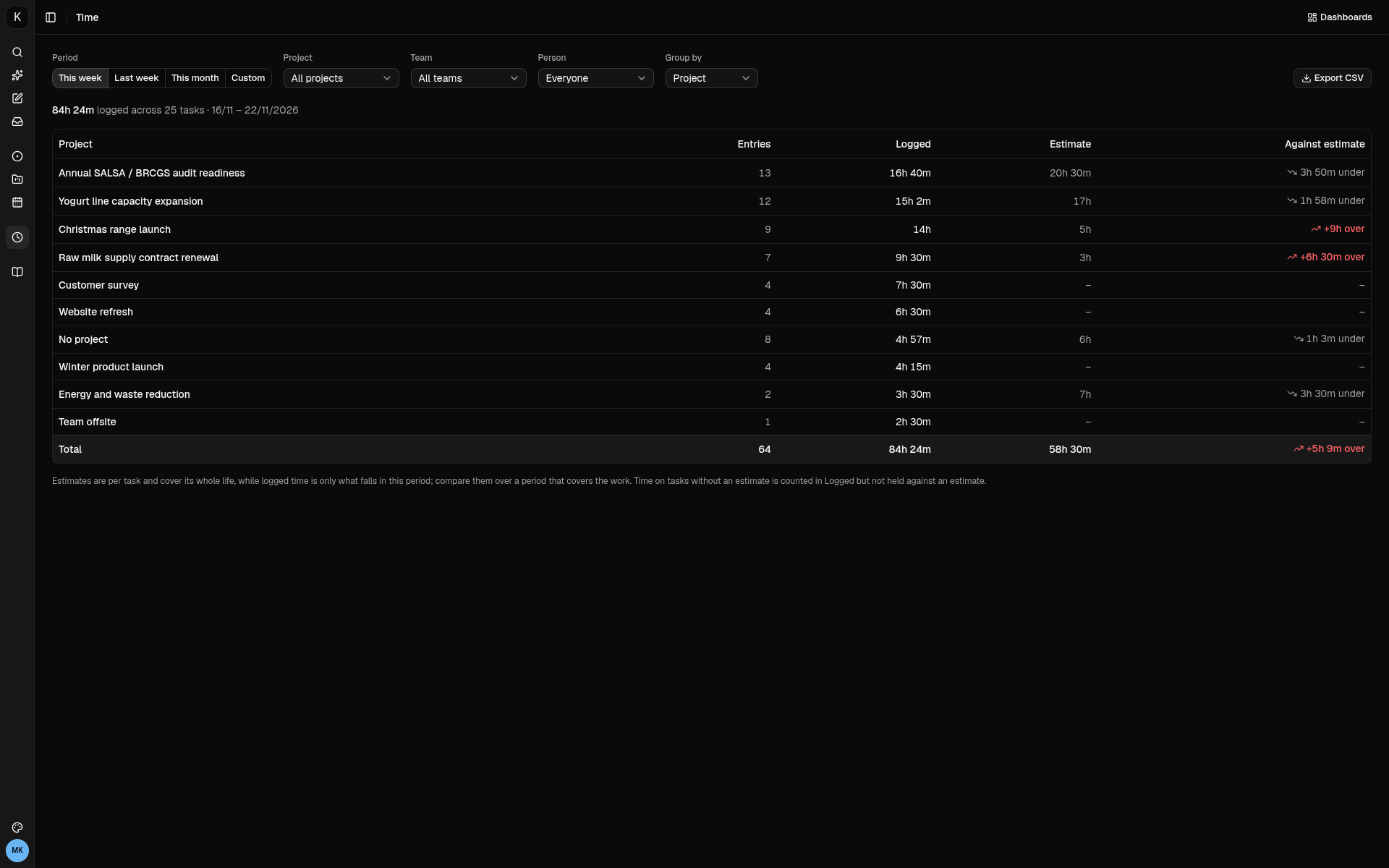
The delivery project is the same project every team uses: tasks with owners and estimates, a lead, a target date and live progress. Time is logged on those tasks with timers or by hand, and the time report groups it by project, person, task or day, sets it against estimates and exports to CSV.
For hourly delivery, Knotworking totals the finished time on the project's tasks. The manager approves up to that total within the hours quoted.
Kickoff and onboarding templates
Projects → Use template creates a project and its dated tasks in one step. You choose the team, the lead and a start date, and each task's due date is worked out from it. Tasks start with the lead and can be reassigned or edited like any other. Starting one needs write access to Tasks.
They are templates you choose to run, not something an accepted quote triggers. Each makes its own project, apart from the quote's delivery project.
Client kickoff
Five tasks around the kickoff date: confirm scope, contacts and responsibilities (5 days before), share the agenda (2 days before), hold the meeting, send decisions and next actions (the day after), and confirm milestones and review dates (3 days after).
Employee onboarding
Six tasks around the start date: prepare equipment (7 days before), set up accounts (3 days before), send the first-day agenda (the day before), introduce the team and review key policies, schedule role training (3 days after) and hold the first-week check-in (7 days after).
What it isn't
It covers the path from a quote to a billing draft, and stops there.
Not an invoicing or accounting tool
The output is a draft billing CSV with one line and a total before tax. Finance checks the tax, and raises and sends the invoice in the accounting software. Nothing is invoiced here and nothing posts to a ledger.
Nothing is sent for you
Issuing a quote and recording acceptance are decisions inside Knotworking. There is no client portal and no e-signature, and no email goes to the customer. You send the quote and get the agreement the way you do now, then record it.
Templates aren't applied automatically
Accepting a quote creates its delivery project without a task list. A kickoff or onboarding template is a separate action that makes a separate project.
One quote, one service
A quote holds a single scope and price, fixed or hourly. It has no line items, milestone payment schedule or retainer, and hourly billing stops at the time quoted.
People decide, tokens don't
Issuing, accepting and signing off need a signed-in person with Manage access to Client services, and acceptance also needs write access to Tasks. API tokens and agents are refused.
Not a full practice-management suite
It is a quote-to-delivery path built on tasks, projects and time. You run it on your own server, with no hosted plan or support contract.
The modules behind this
Each is a separate module, switched on for the installation and then granted person by person.
Work
- Tasks and projectsTeam workflows, priorities, labels, estimates, subtasks and dependencies, in lists and boards. Projects carry status, health, a lead and live progress.
- Time trackingTimers and logged time on tasks, with reports by project, person, task or day.Needs Tasks and projects.
- DocumentsA nested team wiki with block-based pages, version history and backlinks.
- Calendar and meetingsTeam meetings with RSVPs and linked notes, and two-way sync with Google Calendar and Microsoft 365.Opt-in: it only runs when you name it.
Sales and finance
- Client servicesFixed-fee and hourly service quotes, a delivery project, manager sign-off and a draft billing CSV for finance to review. A person records the customer's acceptance.Needs Customers and Time tracking.
- CustomersCustomer accounts, addresses and contacts, shared by sales and despatch.
Questions
- Does it send quotes to my clients?
- No. Issuing a quote records your decision, and recording acceptance records theirs. There is no client portal and no e-signature, and nothing is emailed from Knotworking.
- Can I charge both hourly and fixed fee?
- Yes. Each quote is one or the other. An hourly quote has a rate and the time quoted. A fixed-fee quote has one price and is signed off on the milestone and evidence you record.
- Does it create invoices?
- No. It gives you a draft billing CSV once delivery is signed off. Finance reviews the tax and raises the invoice in the accounting package. Nothing posts to a ledger.
- Can I bill more hours than I quoted?
- Not through this path. At sign-off the approved time must be within both the quoted time and the finished time logged on the delivery project.
- Does a kickoff template run when a quote is accepted?
- No. Accepting creates the delivery project. Kickoff and onboarding are templates you start from Projects, and each creates its own project.
- Can I use tasks and time without quotes?
- Yes. Client services is its own module. It needs Customers and Time, and it is off for each person until an admin grants it, so a team can use projects and time on their own.
Up and running this afternoon.
Clone it, set a few values and start it with Docker. Caddy, the web app, the API and Postgres come up together on your own machine. There's no account with us and no per-seat bill.
git clone https://github.com/knotworking-oss/knotworking.git
cd knotworking && cp deploy/env.example deploy/.env
docker compose --env-file deploy/.env up -d --build
Set up Knotworking ERP using the instructions in this Markdown file.
https://knotworking.dev/docs/agent-install.md