Purchasing, stock and despatch for wholesalers and distributors
Buy from approved suppliers, receive goods into lots, take customer orders and despatch against stock. Each delivery note records which lots went to which customer.
Items and approved suppliers
Items holds merchandise you buy for resale, finished goods, spare parts, raw materials, components and consumables, each with a unit, a standard cost and supplier links. Merchandise, finished goods and spare parts can be despatched. Those and work in progress can go on a sales order.
Suppliers have an approval status of pending, approved, suspended or rejected, set by a signed-in person with the date to review it. A purchase order can't be sent to a suspended or rejected supplier. Goods from one are refused at goods-in, and a pending supplier's goods go into quarantine.
Purchase orders and deliveries
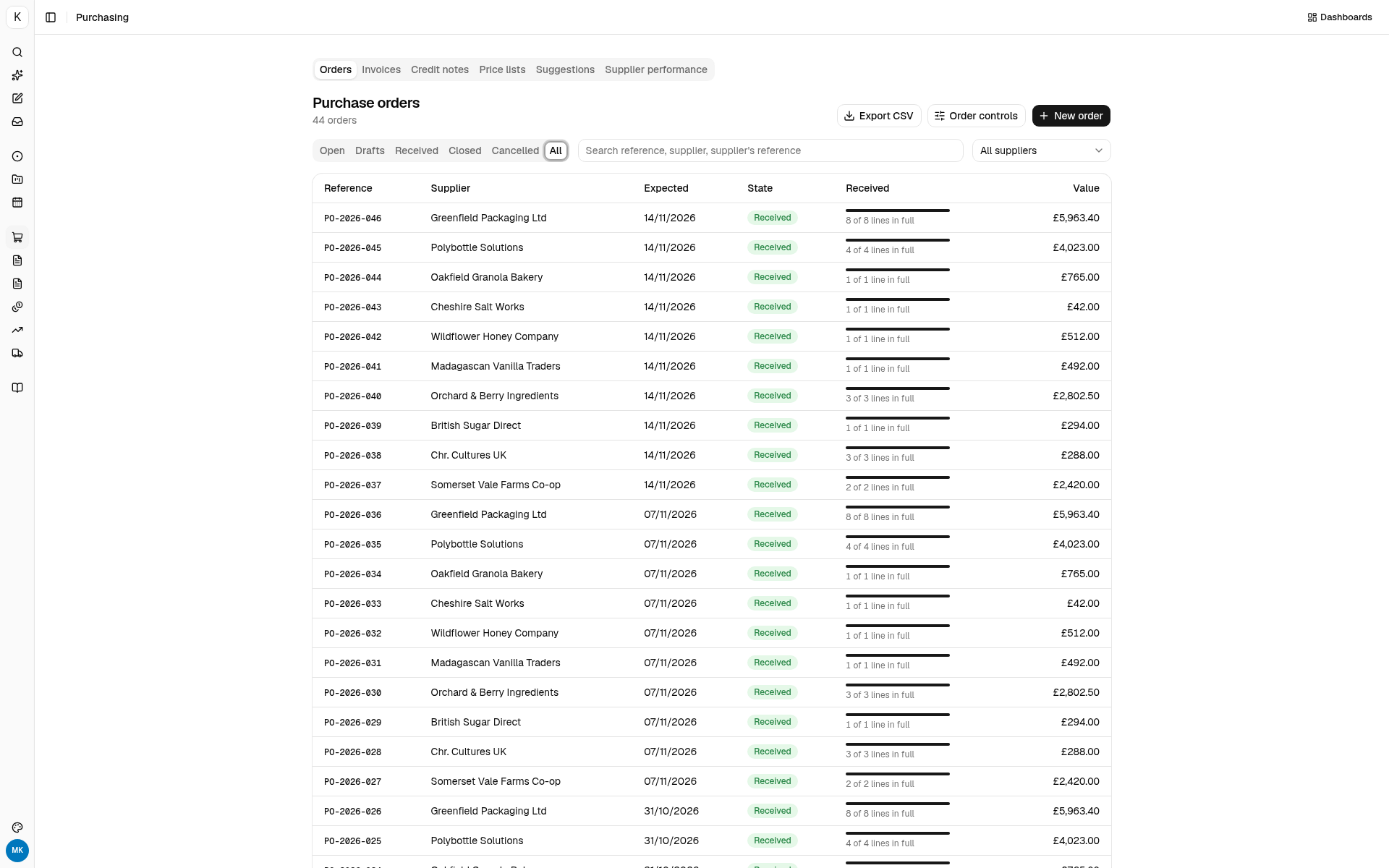
Raise purchase orders by hand, then send them. Record each delivery against its order, with a delivery note number. A part delivery leaves the line partial, and an over-delivery can need a reason if you set a tolerance. Each line shows as none, partial, full or over, so you can see what is still to come.
Match the supplier's invoice against the order for price and against what was received for quantity. Supplier performance reports on time, in full and rejected deliveries.
Lots, goods-in and a movement ledger
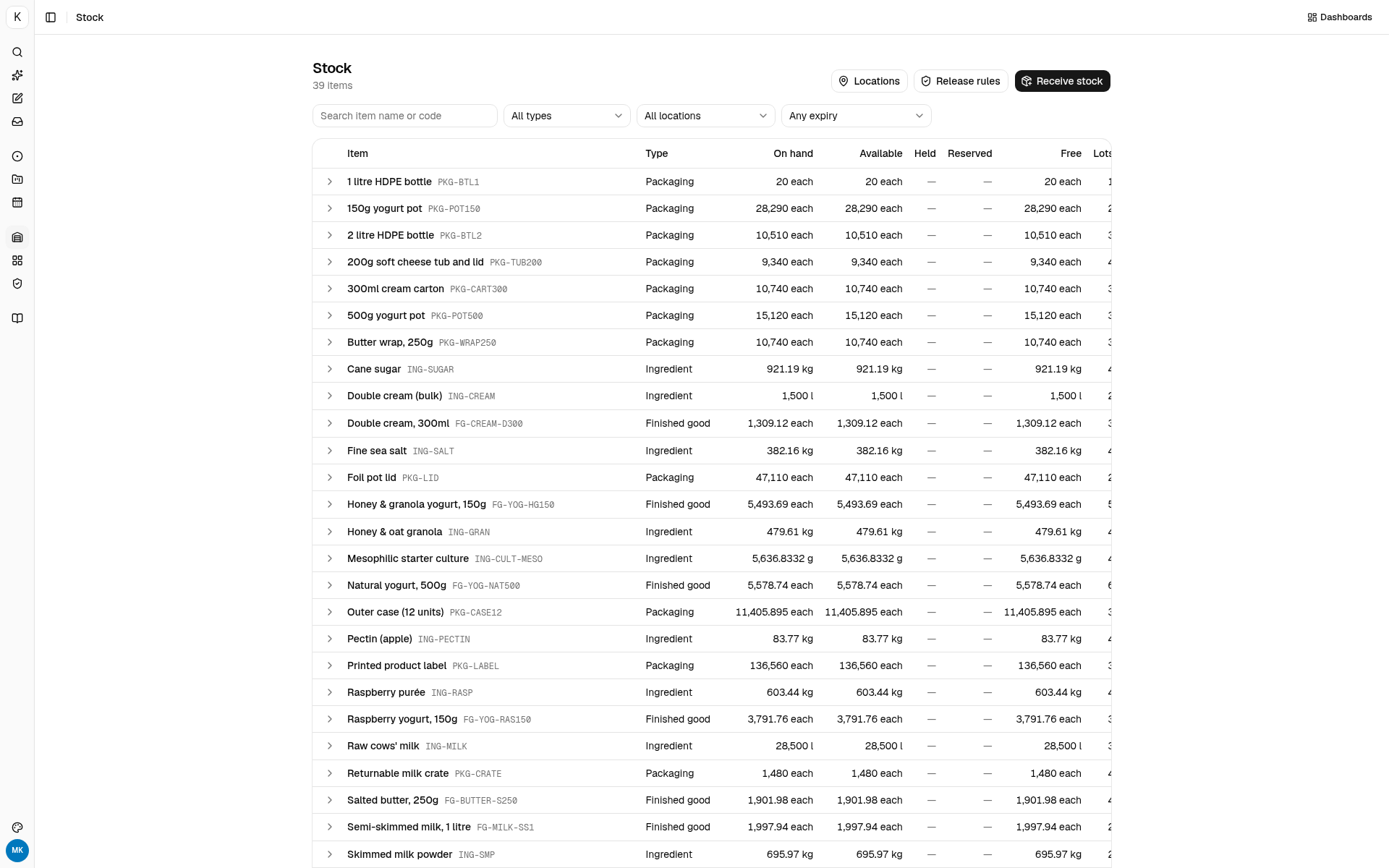
Accepted goods become a lot in a location, with the supplier's own lot code and an optional expiry date. A lot is available, in quarantine or rejected, and a person releases it from quarantine.
Every change is a movement in an append-only ledger: receipts, transfers, adjustments, waste and despatches. A mistake is corrected by a reversal, so the lot's history stays whole.
Quotes, price agreements and orders
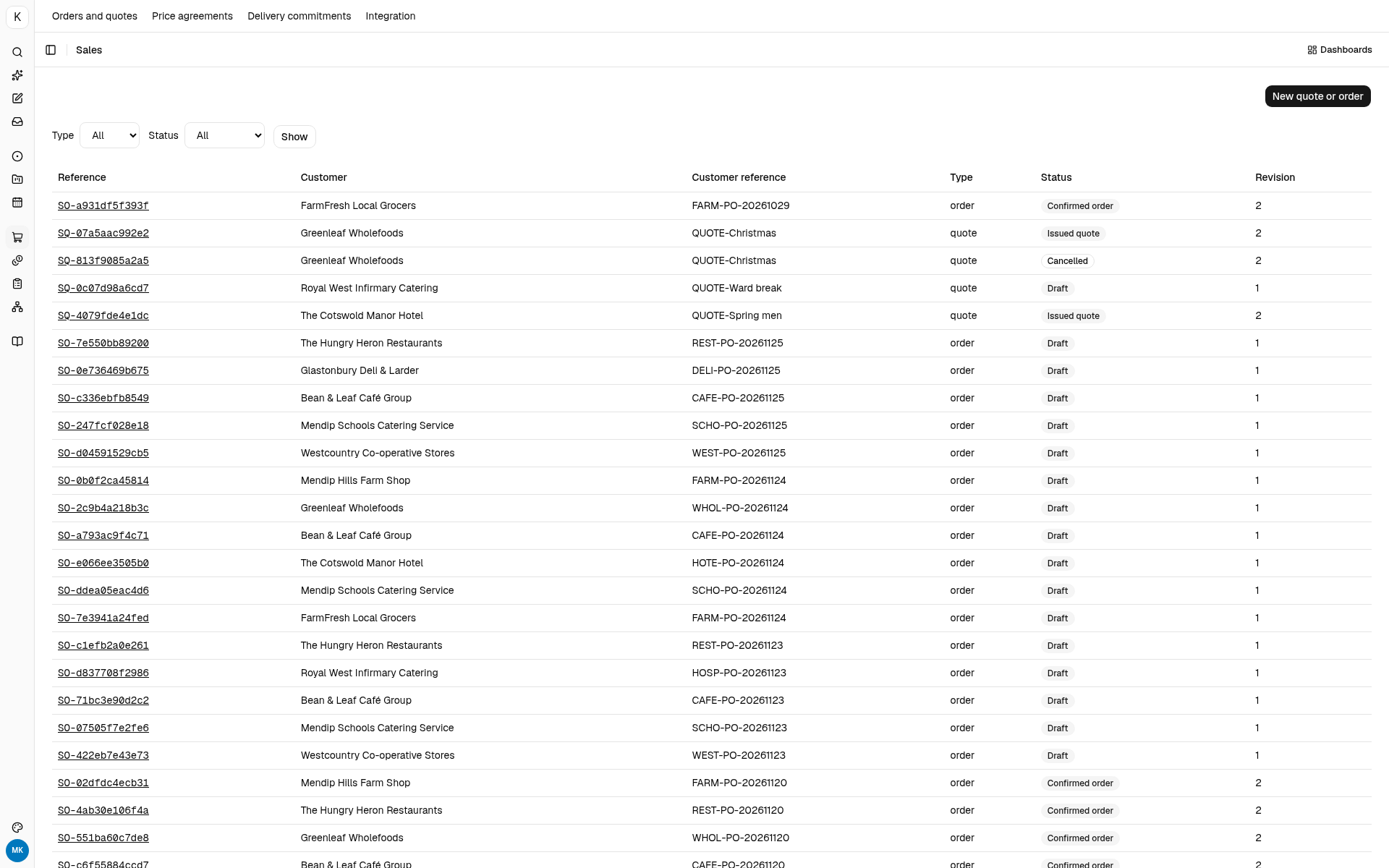
Draft a quote for a customer with up to 200 lines, issue it, and convert it to an order that a manager confirms. A price agreement fixes a customer's price for a product and currency between two dates, and a line left without a price takes the agreement in force on its delivery date.
Sales line values exclude tax and aren't tax invoices. Issuing a quote doesn't send it to anyone. With CRM on, leads and opportunities come before the quote, and a won opportunity hands off to a draft sales order.
Despatch, delivery notes and lot tracing
Despatch withdraws stock against a customer and records exactly which lots left.
Draft
Choose a customer, the delivery address and a date, then add lot, location and quantity lines. A draft withdraws nothing.
Confirm
A manager confirms it. That rechecks the customer, QA release, expiry and unreserved balances, then withdraws every line together or none.
Delivery note
Print the delivery note. Confirming keeps a snapshot of the customer's details, the item and the lot, so later edits don't rewrite it. A mistake is corrected by a void, which posts opposite ledger entries and keeps both records.
Trace
Look up a lot to see the customers it was delivered to. With Sales on, a manager can assign whole delivery lines to order lines, so what is still outstanding falls.
Invoices from despatches
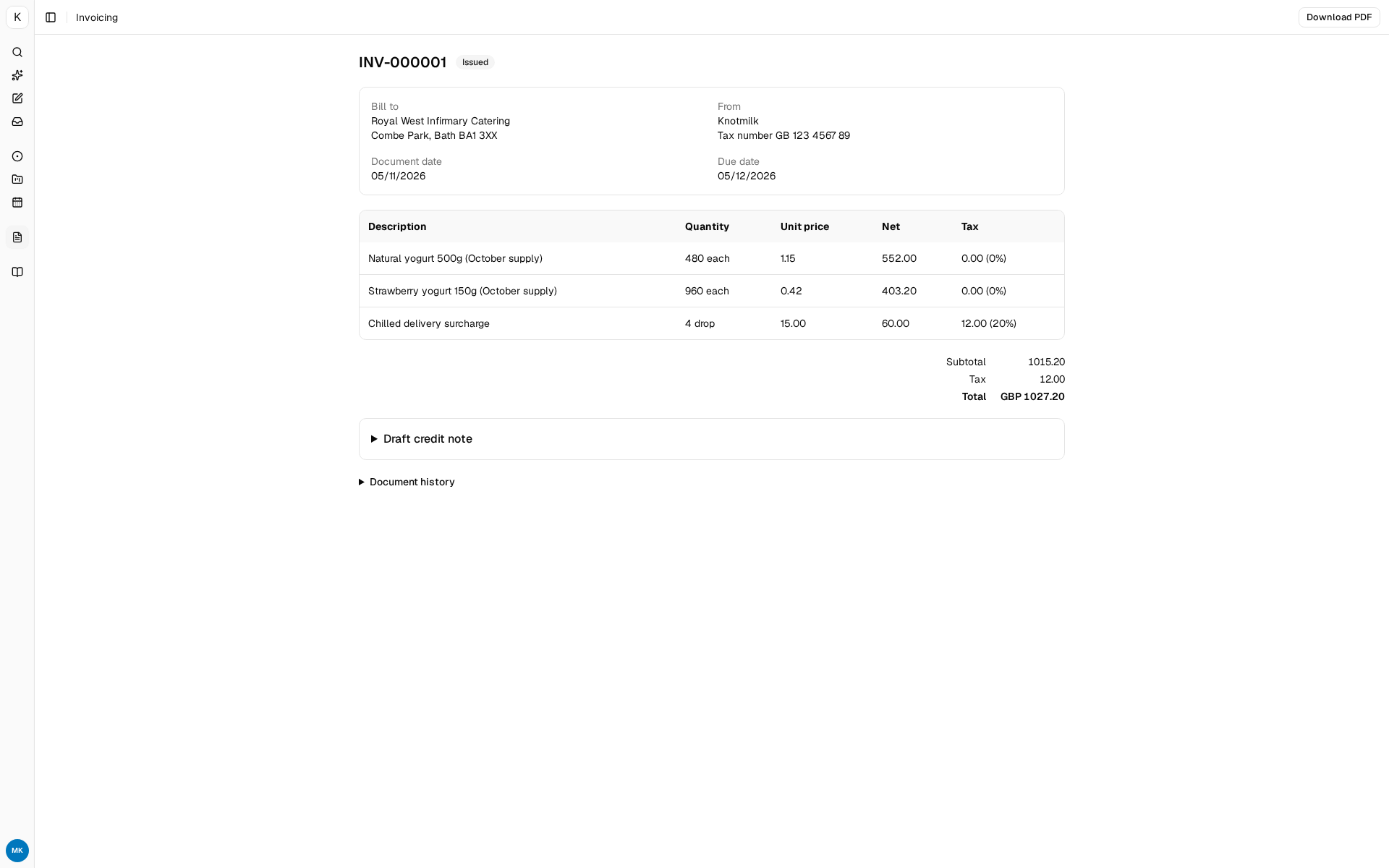
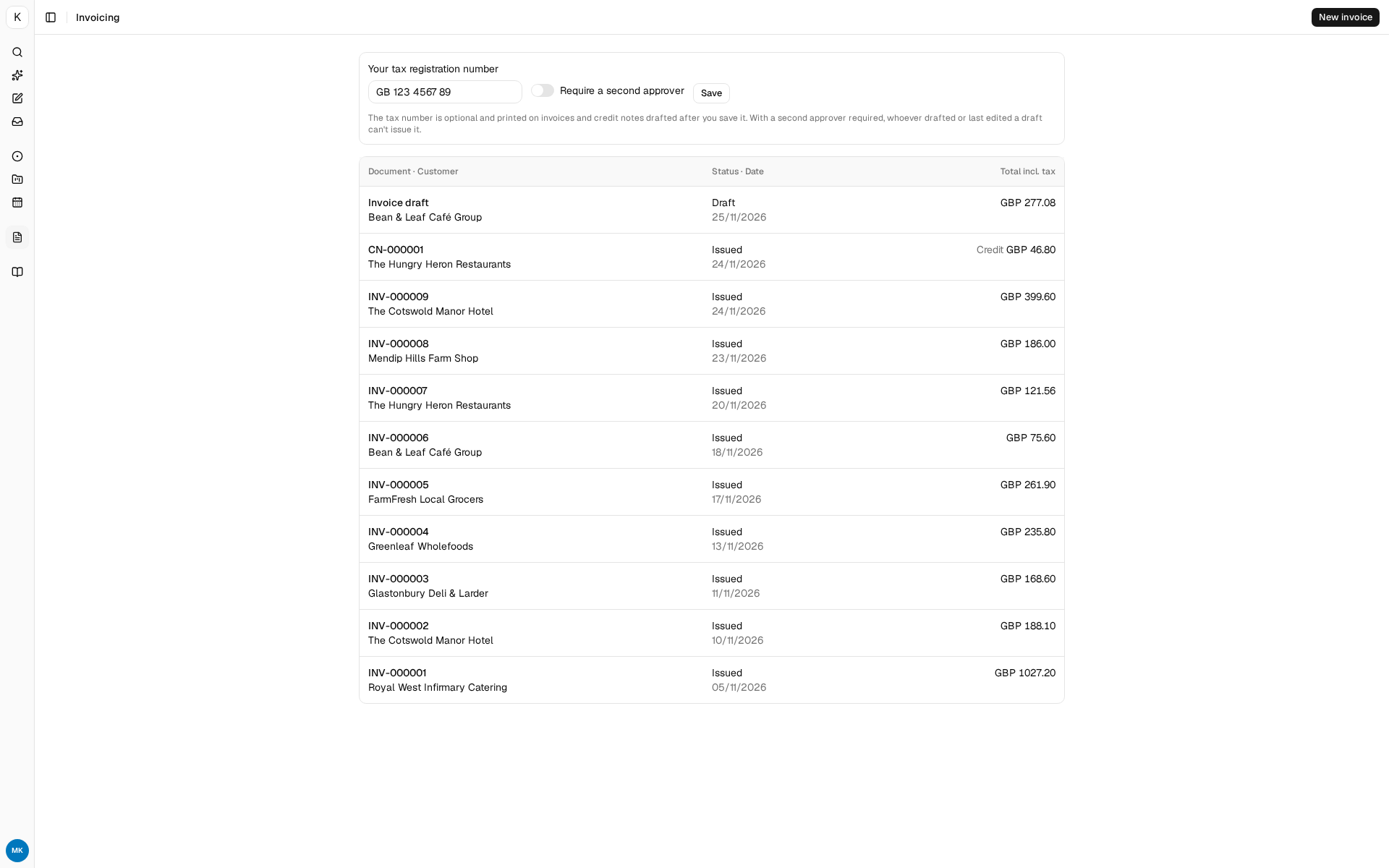
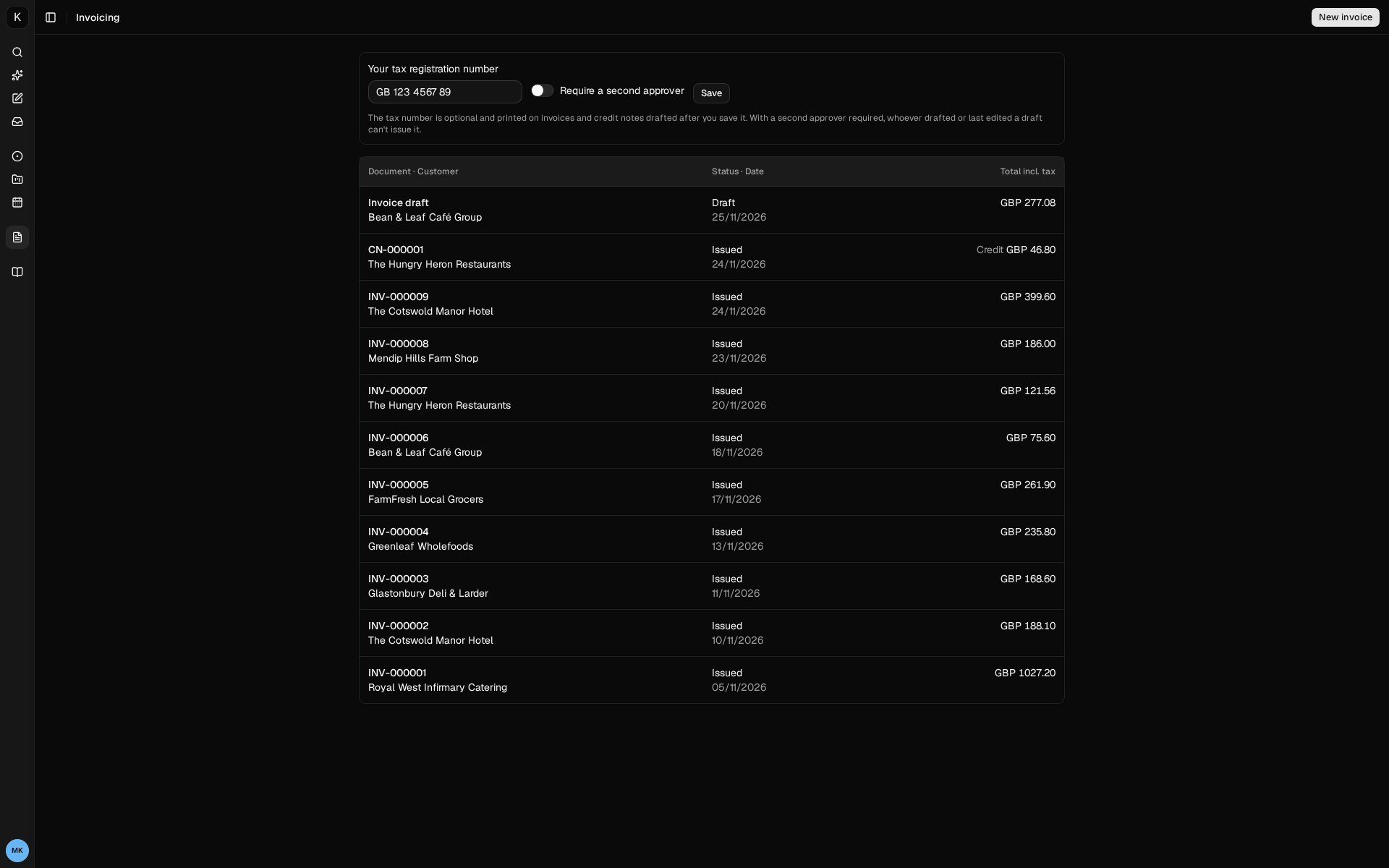
The optional Invoicing module drafts a customer invoice from a confirmed despatch or sales order, or by hand. You choose each line's tax rate, even 0%, then issue a numbered PDF. A credit note reverses whole lines of an issued invoice.
While a draft or an issued invoice holds a despatch line, no other invoice can bill it, and discarding the draft releases it. Invoicing is off by default.
Xero keeps the books
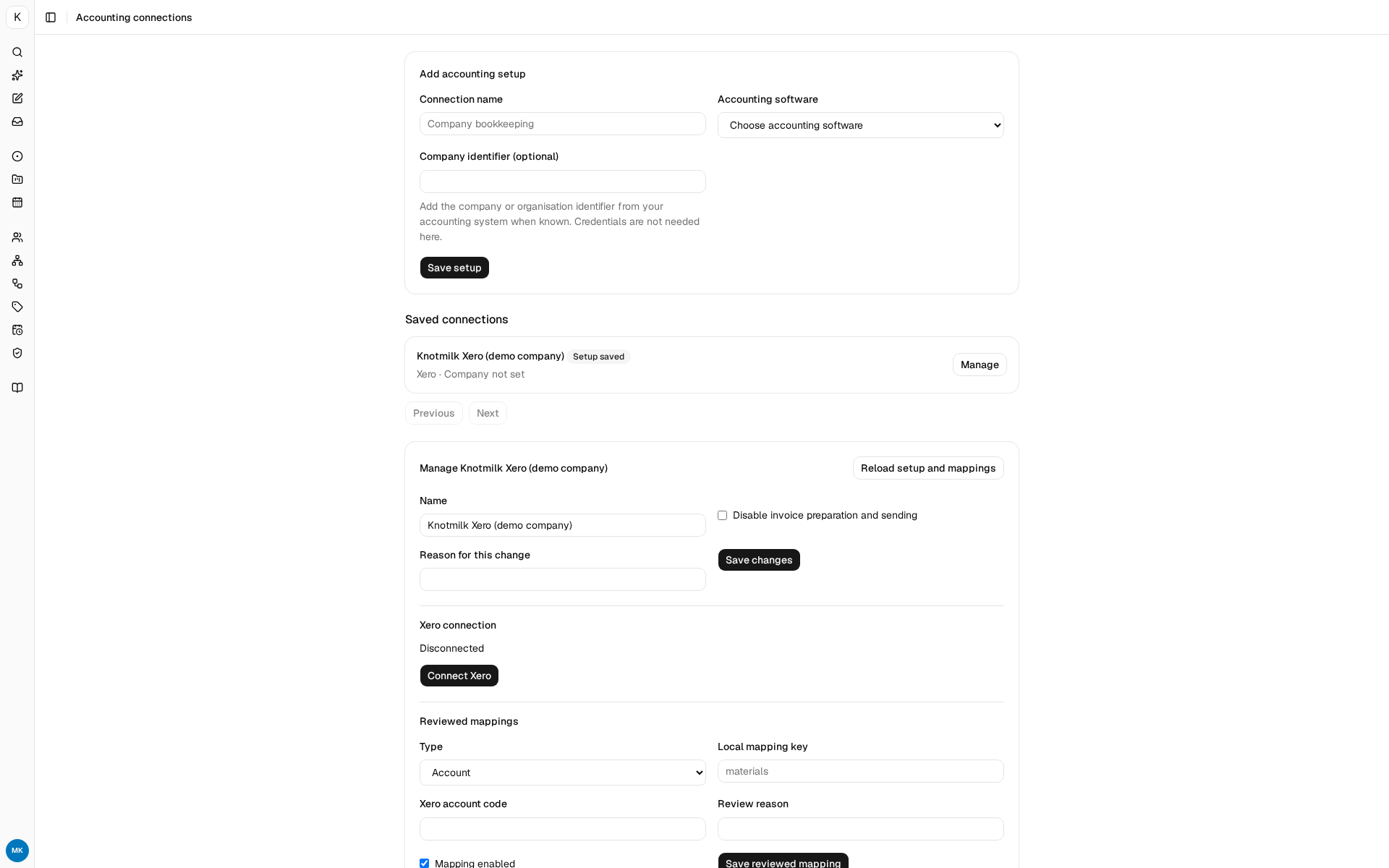
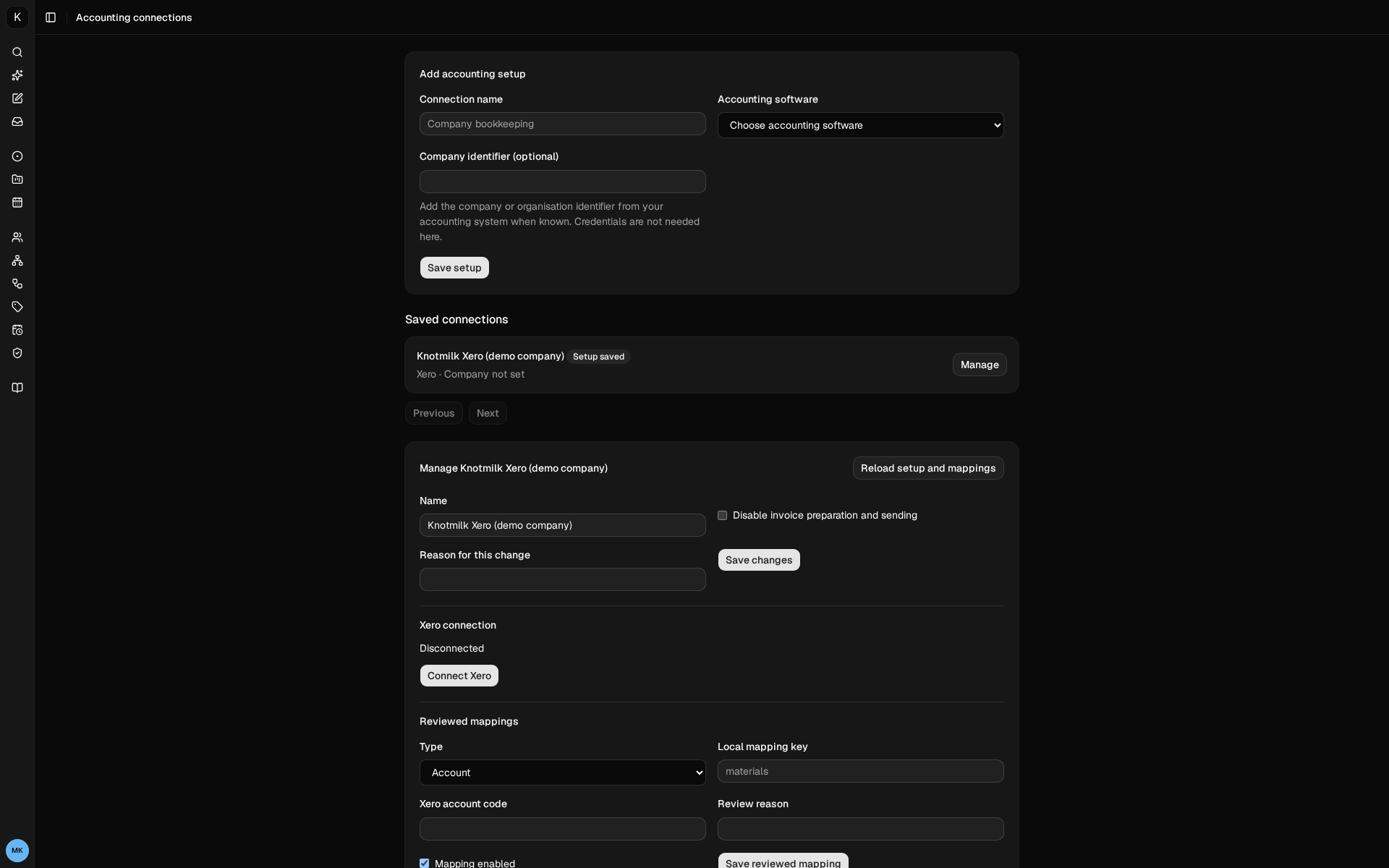
With the optional Accounting module on, an admin can send approved supplier bills, issued invoices and credit notes to Xero through mappings a person has reviewed. Xero stays the ledger. Knotworking has none of its own.
The Xero connection has been tested against a simulated Xero. Acceptance on a live organisation is pending, and Accounting is off by default.
The Supplier onboarding template
Projects → Use template → Supplier onboarding makes a project and its dated tasks around a trial order date. You choose the team, the lead and the date. Where a module is on, a step links to its page. With Tasks alone you get the starter tasks.
Review the supplier
10 days before. With Items on, review the supplier record and its approval.
Check the catalogue and prices
5 days before.
Place a trial order
On the trial order date. With Purchasing on, place a trial purchase order.
Review the first receipt
7 days after. With Purchasing on, compare the first delivery against the order.
Record delivery issues
8 days after. Added when Quality is on: record any delivery issues as non-conformances.
What it isn't
It covers buying, stock, selling and despatch by lot. It isn't a till, and it doesn't keep your accounts.
No point of sale
There is no till, barcode checkout or retail sales import. Sales are quotes and orders for customers you know.
Stock is lot-based
Every receipt makes a lot, and every movement names a lot and a location. There is no simple mode that keeps one quantity per product.
No payments
Invoicing doesn't record payments, chase them or email the invoice. Credit notes reverse whole lines, not part of a quantity. Xero keeps the ledger, tax filing and payments.
Tracing a lot is direct only
The lookup lists the customers a lot was delivered to. It doesn't follow the lot into other products you made from it.
Sales orders don't plan purchasing
Purchase orders are raised by hand or from the shortfall Production shows. Sales orders don't raise them and aren't copied into the demand plan.
Your team runs the installation
Knotworking is self-hosted, with no hosted plan or support contract. Installation, updates and backups are yours.
The modules behind this
Each is a separate module, switched on for the installation and then granted person by person.
Operations
- Items and suppliersA catalogue of materials, components, products and services with units, costs and approved suppliers.
- PurchasingPurchase orders for stock and non-stock goods, services and subscriptions, receipts, three-way invoice matching and supplier performance.Needs Items and suppliers.
- StockLocations, dated lots, goods-in and an append-only movement ledger with traceability.Needs Items and suppliers.
- QualityComplaints, CAPA, internal audits, mock recalls, incidents and authenticity assessments.
Sales and finance
- CustomersCustomer accounts, addresses and contacts, shared by sales, despatch, CRM and invoicing.
- SalesQuotes, price agreements, sales orders and delivery commitments.Needs Customers and Items and suppliers.
- DespatchLot despatches, delivery notes and tracing which customer received which lot.Needs Customers and Stock.
- CRMLeads, opportunities on an editable pipeline, owners and follow-ups, built on the customer register. A won opportunity hands off to a draft sales order or a delivery project.Needs Customers.
- InvoicingCustomer invoices and credit notes, drafted by hand or from sales orders, despatches and signed-off service quotes, and issued as numbered PDFs. No payments, reminders or emailing.Needs Customers.Opt-in: it only runs when you name it.
- Accounting integrationsConnects a workspace to Xero and posts approved supplier bills, issued customer invoices and credit notes through mappings you review. Tested against a simulated Xero; acceptance on a live organisation is pending.Opt-in: it only runs when you name it.
Questions
- Can I use it as a point of sale?
- No. There is no till or retail import. It is for buying, holding and selling stock to customers you deal with by quote and order.
- Which customers got a given lot?
- Open the lot's recipients to see the confirmed deliveries that included it, with the customer and address as they were at the time. It covers direct deliveries of that lot only.
- Can the same delivery be billed twice?
- Not through Invoicing. A despatch line held by a draft or an issued invoice can't go on another one until the draft is discarded.
- Do I need Despatch to invoice?
- No. Invoicing can draft from a confirmed sales order without Despatch, or by hand. With Despatch on, an order's invoice draws on its unbilled delivery lines.
- Does it post to Xero?
- Optionally. Approved supplier bills, issued invoices and credit notes can go to Xero once an admin connects it and a person reviews the mappings. It has been tested against a simulated Xero, and live acceptance is pending.
Up and running this afternoon.
Clone it, set a few values and start it with Docker. Caddy, the web app, the API and Postgres come up together on your own machine. There's no account with us and no per-seat bill.
git clone https://github.com/knotworking-oss/knotworking.git
cd knotworking && cp deploy/env.example deploy/.env
docker compose --env-file deploy/.env up -d --build
Set up Knotworking ERP using the instructions in this Markdown file.
https://knotworking.dev/docs/agent-install.md